Unlimited iPhone downloads
Showing posts with label telephony. Show all posts

Friday, November 9, 2007

Is the iPhone music to your ears?

Apple's rise from the ashes is largely down to the success of the iPod. But how does the new iPhone fare as a media player? Find out in our extended iPhone review.

The piece of the iPhone puzzle which will be most familiar to many potential buyers is the one which has helped turn Apple from a computer brand to a consumer electronics company: the iPod.

Tucked inside the iPhone is, essentially, an iPod Touch with 8GB of Flash memory. Anyone who has used a Touch – released before the iPhone outside of the US – will already have a very good idea of what the handset offers.

The iPod functions can be launched straight from a dedicated button on the bottom right of the home screen, taking you straight into your media library. Nothing revolutionary here – basic navigation is by playlist, artist or song – but, like your contacts list, it is easy to zip through an extensive selection by using your finger to flick through the list.

The touchscreen is, once again, used to simplify the way you find your way through your information. It's also where Cover Flow, the visual navigation tool which Apple bought into iTunes last year, finally comes into its own.

Rolling the iPhone onto its side while in iPod mode will launch Cover Flow, a horizontal sequence of record sleeves that you can speed through with your fingertips. Just tap the cover you want in order to see what music's available, and start listening.

This method of looking through your library always seemed like a luxurious but ultimately pointless bauble to iTunes on a desktop computer – but here, with the addition of a touchscreen, it becomes a very usable way to browse your music library.

Once your music is playing, you can switch the screen off with the button on the top of the iPhone and listen away to your heart's content. Basic interactions can without having to switch the screen back on – volume is controllable with the buttons on the side, and using the bundled earbuds, which are better quality than Apple's older ones, you can pause the music or skip tracks (the earbuds also have a microphone incorporated for use as a hands-free kit).

This is where the gadget picks up another black mark, however, since the recessed headphone socket - which sits about half an inch inside the top of the iPhone - means that it's almost impossible to plug your own cans in. I prefer to listen on the go with a pair of bulky but non-leaky headphones, but they don't fit into the snug space for the jack.

The quality of listening is a familiar experience, and though a portable MP3 player is never likely to capture the full sweep of sound quality, it does make a fair job of the task in hand.

And another word of warning: if you don't have the headphones plugged in, the iPhone plays audio over its built-in speaker. The volume doesn't go dangerously loud, but it's still probably classified as Asbo-worthy.

There's enough capacity for around 2,000 songs, which will be plenty for casual users – those who use existing music phones or lower-capacity iPods - but is likely to disappoint hardcore music fans. I found myself wanting a little more space; and not just for music.

That's because, more than any of Apple's previous media players, you'll probably be tempted to use the iPhone for watching moving images as well as listening to music. As well as the direct link to YouTube content, the iPhone offers you the chance to watch your iTunes video downloads, podcasts and movies or TV shows that you've added.

Flip the handset onto its side and (where available) your films switch from portrait to landscape mode, essentially giving you a bite-sized widescreen. Navigation is quick – three obvious clicks from the home screen – and Image quality is generally good, and you can through the latest Hollywood blockbuster without destroying the battery.

A couple of small additions also make. You can buy music directly over a Wi-Fi connection using the built-in iTunes store. Download speed is the same as you would expect to your computer, and when you next login on your desktop machine, it will add the new music to your iTunes library.

Integration with some of the gadget's other functions, meanwhile, is smooth: tunes fade out for a phone call (rather than stopping abruptly) and fade back in when you hang up. It's just a little touch, but one that's meant to remind you that this is not just a handful of different gadgets thrown willy nilly into one box.

Incorporating the iPod functions inside the handset makes this one of the best music phones on the market, which – given the complexity of using some rivals isn't as hard as it should be. But aside from the touch-based bells and whistles, the iPhone doesn't offer a massive leap forward for the iPod family... making it a great, but not remarkable, media player.

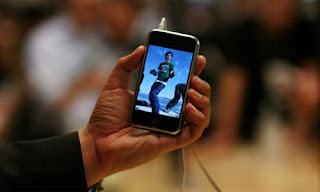
Will O2 woes burst the iPhone's bubble?

Apple has talked up the iPhone as the dawn of a new era in the mobile internet. But does it stand up to the test? Find out in the second part of our extended review.


One of the iPhone's plays is that it's great for browsing the web: Apple has made much of talk of the handset as a "breakthrough internet device".
Having used a number of other Wi-Fi enabled handsets, it's true that the iPhone beats them hands down for simplicity. Finding a wireless network doesn't take an ounce of effort – it's automatic – and once you're logged on to a network, you should never have to do it again. I surfed without any difficulty at home and in the office, as well as in coffee shops, pubs and simply walking down the street.
The trade-off of having to use Wi-Fi instead of 3G (which isn't supported by the iPhone) is made a little easier if you spend a lot of time near a hotspot operated by The Cloud, the wireless provider that has struck a deal with Apple and O2 to offer unlimited access to any iPhone customer. Most of us, however, will use the wireless access in a more limited way.
Still, it's surprisingly good on battery life: even with heavy browsing, listening to music and making calls, the phone managed to come through the test period on just a few charges and without dying once. Here Apple has the chance to benefit from harnessing iPod behaviour such as the nightly docking ritual.
Once you're logged on, you'll want to take a trip around the web. The on-board browser, Safari, renders sites clearly and relatively quickly. Gone are the days of Wap: instead we have something that tries, not entirely successfully, to bridge the gap between desktop web browsing and small screen surfing.
When it works, pages look beautiful: double tap to zoom in (the phone smartly understands CSS and fills your screen with the contents of a column), or use the now-famous pinching technique to pick your spot. You can even flip the phone onto its side to turn the web around for a landscape format - but it can't get away from the fact that sometimes looking at a big web page on this screen can be a disconcerting experience, like turning up to a Victorian circus to see a homunculus of the internet.
Little additions such as very straightforward bookmarking and tabs are the sort of thing you struggle to find on other phones, and you can share links via email with a couple of clicks.
Some of the other web services offered on the phone are also intriguing: Google Maps, for example, could be a clincher for road warriors. Clunkier flavours are available on other devices, but the iPhone variety offers a neat and swift service for maps and directions.
Other web widgets turn out to be more of a mixed bag, however. The YouTube video viewer is OK - if you're into watching outtakes and dodgy TV rips. For example - top of the charts at the time of writing was a one-minute video of a laughing baby. The iTunes Wi-Fi store works perfectly well – and integrates nicely with your desktop computer - but it doesn't yet deliver podcasts to you, which would have been a useful stopgap solution for iPhone radio.
The lack of rabid small investors in the UK, meanwhile, means it's hard to imagine many Brits using the stock market viewer (conveniently pre-loaded to show you Apple's ever-increasing share price). Coupled with the Google Maps logo – which carries an American-style road sign – it feels as if a bit more time thinking about the needs of the locals would have been well spent.
This is the area of embedded applications is where the iPhone has room to stretch its legs, and where hackers have been enjoying themselves. Unfortunately Apple has kept things locked down for the British model: there's still no support for Flash, and everything has to happen through the browser itself. When the iPhone launched initially, it spoke in mealy-mouthed terms about Safari as the interface for applications – that roughly translates as "build web pages if you want to design for the iPhone". And although Apple has announced it will be releasing a development kit for programmers in January, it also feels like double talk.
There are some intriguing possibilities for the future, though. Simply having integrated Wi-Fi offers a number of options itself – such as voice over internet calling, ala Skype, or perhaps internet radio or TV.
For now, however, those outside a Wi-Fi zone – or in parts of Britain where hotspot density is much lower than in the middle of our major cities - are restricted to using O2's network.
That includes the now-infamous Edge standard, a sub-3G speed network that's not heavily used by British customers. O2 is spending lavishly on updating its network to incorporate Edge, which Apple says is the best trade-off between and speed and battery life. In fairness, where Edge is available it does offer faster downloads – never snappy, but sometimes quick enough.
However the breadth of delivery remains too limited, and I found plenty of black spots around the country where getting any sort of O2 signal – let alone an Edge one – was an impossible task.
It's a bitter pill to swallow, but until somebody hacks the latest software update, there's little option.

Thursday, November 8, 2007

iCame, iSaw, iPhoned

We've been waiting for months for the iPhone's arrival on these shores. But has the wait been worthwhile?

Our full review explores the handset that's arriving on November 9 - first up, the exterior and using it as a mobile phone.


There are two sorts of people in the world: those who have played with an iPhone, and those who haven't. It sounds a bit like a bad joke, but – for now, at least – there's a grain of truth in it.

After months of waiting for Apple's flagship to land in the UK, we're finally going to get it this Friday. In the meantime, the hype cycle seems to have gone full circle: first excitement at the US launch, then disappointment with the lack of third-party support, a backlash from some quarters, and finally tentative excitement again.

Most of the comments were thrown out by people who fell into the second group (those who hadn't played with an iPhone) and, thanks to Apple's restrictions on mobile networks, none of them came from people who had actually used a fully-functioning iPhone in Britain. But for the past few weeks, however, the Guardian has been testing a British iPhone – with all the bells and whistles on O2's network. So what's the UK iPhone like?

For a start, it's pretty familiar. A software update delivers a few minor changes – more international language support, some security fixes and so on – but if you've seen or used an American iPhone, then you know exactly what you're getting. Similarly, anyone who's had their hands on an iPod Touch will also have a good idea of what to expect.

For those who have only seen the pictures or been barraged by the advertising, though, it's worth taking a look around.

On the outside, there's little debate that the iPhone looks good. It's a typical minimalist gadget, all polished black and silver. It has just one button on the front, complimented by a volume control and silent mode switch on the side, with a headphone socket and the on/off switch on top.

As a phone it's thin enough, but a little longer than desired. It's been sitting in my pocket for the past two weeks, but hasn't yet really become comfortable to carry.

You can blame any unwieldiness on the screen, which is about the size of a credit card and one of the crucial weapons in Apple's armoury. That's because multitouch technology is the soul of the iPhone, informing everything you do – and because is it so far superior to anything else on the market right now.

Place a digit on the surface and the phone recognises it instantly; stroke a finger sideways and the device responds exactly how you would expect. No fudges or "good enough" answers here: nothing else comes close.

The screen itself is bright and crisp, but far from invulnerable to scratches. Although it's more robust than some of the earlier iPod models, it's certainly not tough enough to be treated with a carefree attitude: this is a gadget that demands protection.

The touch interface draws you in right from the start, with the "slide to unlock" mechanism that starts you using your iPhone.

Steve Jobs calls it three devices in one, and in a sense he's right. Despite the services – phone, internet, iPod – often being interlinked, the different functions of the iPhone feel quite separate, each of them used in a slightly different way.

The phone functions are more or less bog standard: call and text. You can use an on-screen keypad to dial numbers, or access the contacts list and use fast fingered scrolling to zip through your numbers with ease. A couple of other little touches make life more bearable too, such as text messages appearing in chat-like conversation format.

Elsewhere, if you need to look something else up while on the line, an on-screen button allows you to flip straight back to your conversation – no more accidental hang-ups. Conference calling is easy (you can patch incoming calls straight into your existing one) and "visual voicemail" – where you can zip backwards and forwards inside your messages – is an improvement of kind, not just degree.

There are some bizarre omissions that have yet to be fixed – the iPhone has no support for picture messaging, for example, and it still doesn't allow texts to be sent to multiple contacts. The feeling still comes across from time to time that this is a phone built for the American market, or with standards so lofty that it sometimes finds it difficult to remember the basics.

On the subject of SMS, it's worth examining the keyboard – one of the iPhone's most controversial elements. Gone is the old number keypad or the Qwerty buttons, ditched in favour of a touch-sensitive onscreen replacement. This has plenty of doubters, and they're not entirely wrong, but Apple has done a lot of work to try and mitigate.

It's certainly a league ahead of other devices I've used, where the buttons were nigh on impossible to hit for those who aren't trained marksmen. Typing is helped by the intelligent predictive text and intuitive auto-correct function, and you won't have to spend any dreary afternoons training the dictionary.

A few extra additions would have improved life, but remain absent: all punctuation remains on a secondary screen (not even a solitary full stop or comma is close at hand) and the inability to customise the keyboard could prove irritating for those who have peculiar needs.

I doubt hardcore BlackBerry addicts will ever achieve the speeds they can manage with a Qwerty keyboard – after all, a good typist can feel when they've made a mistake just from the position of the keys under their fingers – but after a few days of use I was pretty happy with my abilities.

iPhone tips

iPhone RSS feed

iPhone Guru Headline Animator